Single sign-on
Microsoft Entra ID, Okta, Google Workspace or any OpenID Connect provider, with domains verified by DNS.
A compact edge device that sits next to your PLCs and HMIs. Engineers reach them from the browser, plant data streams to MQTT, and nothing on your network is opened to the internet.
Remote access only when you allow it. Data collection around the clock.
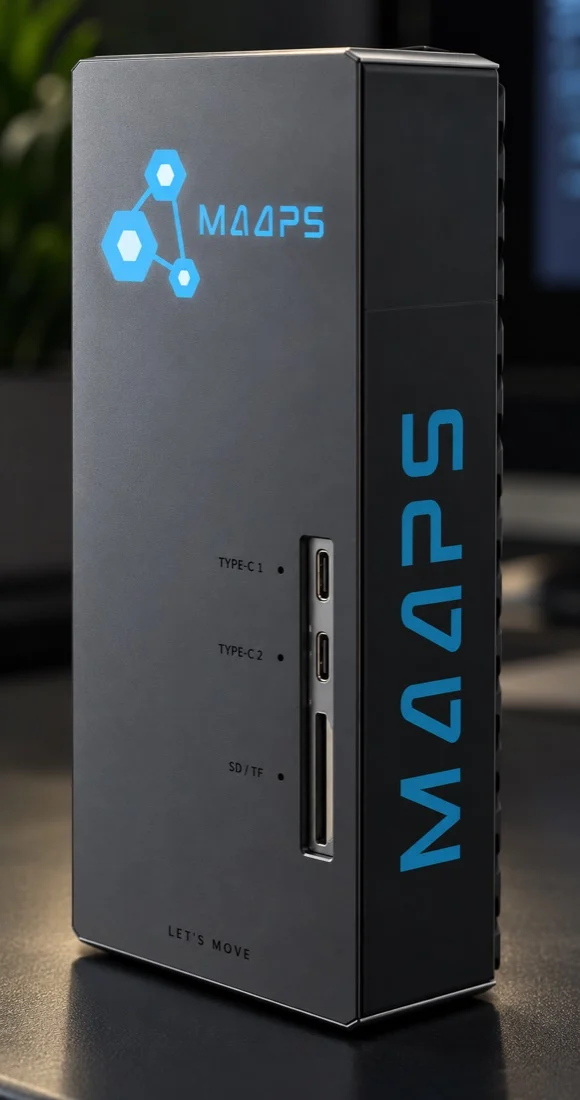
Plug it into the plant network, activate it with a licence key, and add your machines.
Web pages, VNC screens, Telnet and OPC UA
Up to 50 devices, behind its own firewall
It calls out. No inbound port is opened.
Licences, sessions, commands and updates
Screens and web pages in the browser
Wired Ethernet or Wi-Fi, with automatic switch-over between them.
Type the licence key on the screen. The box checks in with MAAPS Edge Admin and receives a signed licence.
Pick a device found on the network or type its address, then choose its make and device type. Ports fill themselves in.
Your team opens screens and web pages from the browser; plant data flows to your broker.
Remote sessions exist only while someone is connected, and only after every check has passed.
HMI web pages, VNC screens and Telnet terminals open in a browser tab. Nothing to install on the engineer's laptop.
Operators can watch without touching. The box itself drops keyboard and mouse input and blocks changes on web pages.
Every session carries a signed grant from MAAPS Edge Admin. The box checks its own remote access hours and can ask someone on site to tap Allow.
Sessions close when idle, when their time is up, or the moment someone ends them, from Edge Admin or the box.
Show a machine's HMI page right next to its work orders.
GrantSigned by MAAPS Edge Admin✓HoursInside the box's remote access hours✓On siteAllowed on the box's own screen✓ModeView only, enforced on the boxOnIdleCloses by itself when idle15 minMAAPS Edge reads values from your PLCs over OPC UA and delivers them to your MQTT broker or a REST endpoint.
When the network drops, values queue on disk and go out in order once it's back.
Live status, the last hour, and per-value details: readings, quality, sent and waiting.
MAAPS can read control points; writing to a PLC stays off until you switch it on.
Moving from another edge device? Keep the Edge ID your MQTT topics already use.
Built for plant networks that must never be exposed to the internet.
The box only ever calls out. No inbound port is opened on your plant network, and its own firewall blocks everything else.
MAAPS Edge never routes traffic between the internet and your plant. Every session is one approved connection to one device.
Licences, software updates, remote commands and session grants are all signed with Ed25519. The signing keys never touch a box.
Single sign-on, MFA, roles on folders, Manager approval and remote access hours. Ask on screen puts the final yes in the hands of someone on site.
Every remote command is checked on the box for signature, device, expiry and replay. Turn whole categories off on the box; a network change that cuts it off undoes itself in about two minutes.
Signed updates roll out in stages. A box that fails its health check restores the previous version on its own, and the rollout stops.
Each box renews its licence every few minutes. Suspend or revoke a lost or retired box in Edge Admin and it stops.
Every change in MAAPS Edge Admin is audited, and the box keeps its own trail of who changed what on site.
Pick the machine's make, or MAAPS Edge if none fits. MAAPS Edge reaches every make through what the device itself offers: its web page, a VNC server, Telnet or OPC UA.
| Device type | What you get | Typical devices |
|---|---|---|
| Web access (WWW) | The device's own web page in the browser | HMI panels, PLC web servers, IP cameras, drives |
| Remote Desktop (VNC) | The live screen, with keyboard and mouse | HMI panels, operator PCs with a VNC server |
| View-only VNC | The live screen, look but don't touch (enforced on the box) | Screens operators and managers watch |
| Telnet | A terminal in the browser (Operate access only) | Devices with a Telnet console |
| Data collection (OPC UA) | Values read on a schedule and sent to MQTT or REST | PLCs with an OPC UA server |
Ready-made forAxis Communications IP cameras · COPA-DATA zenon Web Client and zenon VNC · Grundfos VNC Server
Brand names are used only to identify equipment. MAAPS Edge connects to these devices through standard web, VNC, Telnet and OPC UA access; it does not carry vendor engineering software connections.
Licences, health, sessions, commands and updates for your whole fleet, in the browser.
Each box reports its services, disk, temperature, firewall and devices. If one goes quiet, your team gets an email.
Email and web hooks from the box, with delays and per-person schedules.
Restart a service, fetch logs, change the network or firewall allow-list, signed and checked every time.
Canary, pilot, then the fleet, with automatic rollback on any failure.
Report an issue on the box's screen and MAAPS receives it with recent logs.
Bring your own directory and keep control of every connection.
Microsoft Entra ID, Okta, Google Workspace or any OpenID Connect provider, with domains verified by DNS.
Your directory adds, updates and removes people by itself.
Admin, Manager, Engineer, Operator and Viewer, given on a folder and inherited below it.
Require a Manager's approval to connect, and allow remote access only on set days and hours.
No. Web pages, VNC screens and Telnet open in the browser after signing in to MAAPS Edge Admin.
No. It only calls out over HTTPS. No inbound port is opened on the plant network.
Every session needs a signed grant and can require a Manager's approval, set hours and a tap on the box's own screen. Sessions can be seen and ended in MAAPS Edge Admin, and close by themselves when idle.
Any device it can reach on the plant network that offers a web page, a VNC server, Telnet or OPC UA, across 70+ makes such as Siemens, Rockwell Automation, Schneider Electric, Omron and Beckhoff.
Not with the vendor's engineering software: MAAPS Edge doesn't carry those connections. It opens the device's web page or screen, and reads data over OPC UA.
No. MAAPS Edge never routes between the internet and your plant network, by design. Each session is one approved connection to one device.
Data keeps being collected and queues on disk, then goes out in order. The licence stays valid offline for up to 7 days.
Up to 50 devices.
With signed updates rolled out in stages from MAAPS Edge Admin. A box that fails its health check rolls back on its own.
Yes. Plant data flows over MQTT to MAAPS, and a machine's HMI page can be shown inside MAAPS CMMS.
Book a demo and we'll show remote access and data collection on your own machines.